> For the complete documentation index, see [llms.txt](https://help.matrack.io/llms.txt). Markdown versions of documentation pages are available by appending `.md` to page URLs; this page is available as [Markdown](https://help.matrack.io/gps-and-dashcam/readme/categories/admin-website/how-can-i-get-the-mileage-report.md).
# How can I get the Mileage report?
## Generating Mileage Reports
### Overview
The Mileage Report provides comprehensive information about a vehicle's odometer readings and total distance traveled during a specified time period.
### Accessing Mileage Reports
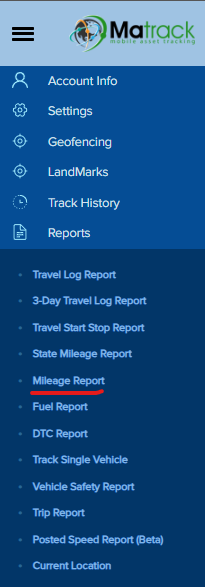
1. Navigate to Reports:
* Select "**Reports**" from the menu
* Click on "**Mileage Report**"
2. Configure Report Settings:
* Select the start date
* Select the end date
* Choose the specific vehicle from the dropdown menu
* Submit to generate the report
3.
```
```
### Report Contents
The report shows:
* Starting mileage (odometer reading at start date)
* Ending mileage (odometer reading at end date)
* Total miles traveled during the selected period
### Important Notes
* Useful for vehicle maintenance scheduling
* Helps track vehicle usage
* Important for expense reporting
* Provides accurate distance calculations
For additional assistance or troubleshooting, please